
Download the IGNOU Assignment Front Page 2026 PDF in English or Hindi and attach it as the first sheet of each course assignment. This printable A4 format is also commonly searched as the IGNOU assignment first page, assignment cover page, front sheet and IGNOU front page PDF.
Quick answer: Choose the English or Hindi PDF below, print it on white A4 paper, fill in your student and course details, and attach a separately completed front page to every course assignment.
Download IGNOU Assignment Front Page PDF
The English and Hindi formats are displayed one after another so you can view the full page before downloading. Click a preview image to open the PDF, or use the download button placed directly below that format.
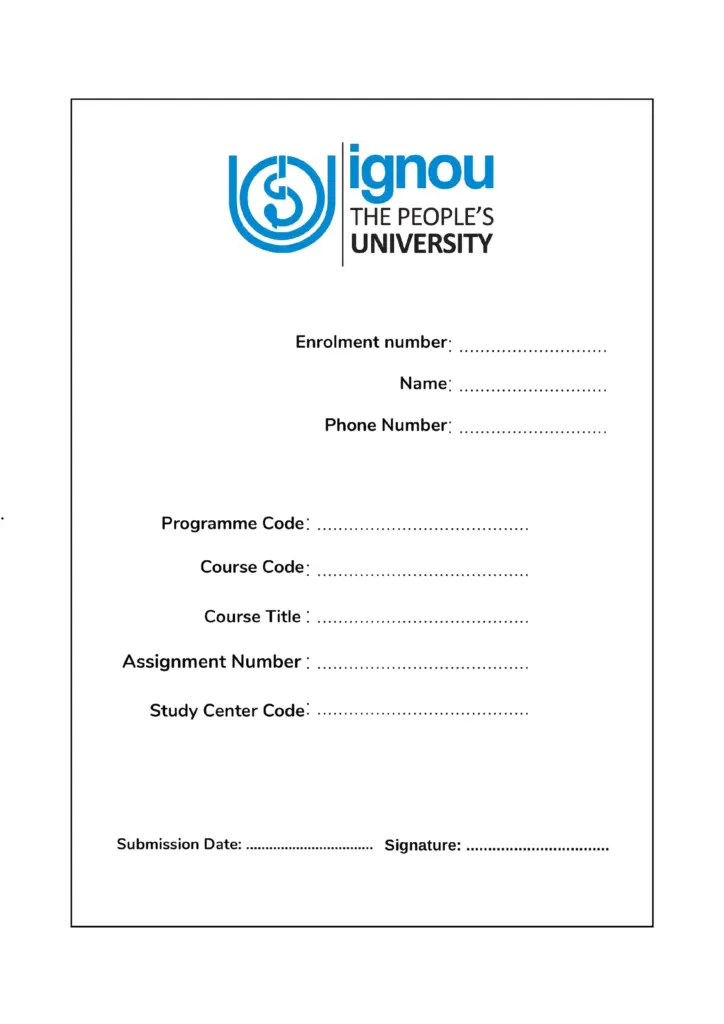
IGNOU Assignment Front Page English PDF
Use this A4-size English front page when you prefer English field labels. Check that the course code, assignment code and Study Centre details are correct before attaching it.
IGNOU Assignment Front Page Hindi PDF
Use the Hindi front page when Hindi field labels are more convenient. Codes and numbers should still be copied exactly from the IGNOU student record and current assignment booklet.
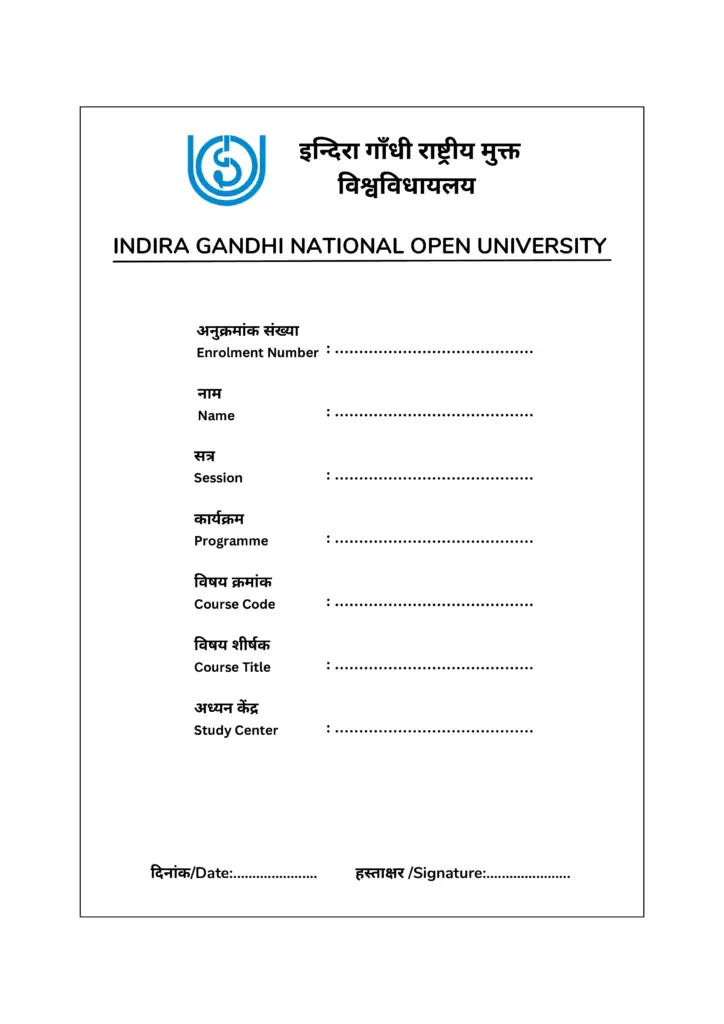
Centre instruction comes first: When your Regional Centre or Study Centre has issued a specific assignment cover page, use that format. Otherwise, the English or Hindi template above can be used for the commonly required learner and course details.
Which IGNOU Assignment Front Page Format Should You Use?
Use the English PDF when you want to fill the labels in English and the Hindi PDF when you prefer Hindi labels. The language of the front page does not change your programme code, course code, enrolment number or assignment reference; these must match the official records in every format.
You may print the blank format and write on it, type the details before printing, or reproduce the same fields neatly on a blank A4 sheet. A clean and accurate page is more useful than a decorative cover. Follow any additional instruction printed in the assignment booklet or issued by your centre.
What Is an IGNOU Assignment Front Page?
The IGNOU assignment front page is the identification sheet placed before the written answers. It tells the evaluator whose assignment it is, which programme and course it belongs to, and which centre is handling the submission.
The phrases IGNOU assignment first page, IGNOU assignment 1st page, IGNOU assignment cover page and assignment front sheet usually refer to this same learner-information page. It is not the same as the title page used for a project report, dissertation, internship, practical file or fieldwork journal.
The front page should be the first visible page of the paper assignment or the first page of a course-wise scanned PDF. Prepare a separate completed page for each course rather than attaching one common sheet to several assignments.
Details Required on the IGNOU Assignment Front Page
| Front-page field | What to enter |
|---|---|
| Student name | Your full name as shown on the IGNOU ID card, admission record or student profile. |
| Enrolment number | Your correct IGNOU enrolment number. Do not enter the application-control number, registration reference or payment number. |
| Programme code | The code of your enrolled programme, such as BAG, BCOMG, BCA_NEW, MCA_NEW, MEG, MHD or MBA. |
| Course code | The code of the specific assignment being submitted, such as BEGLA-136, BCOC-131, MPS-001 or MMPC-001. |
| Course title | The complete course name printed with the course code on the assignment question paper. |
| Assignment number or code | The exact TMA, assignment code, validity or session detail printed on the applicable assignment booklet. |
| Study Centre details | Your allotted Study Centre or Learner Support Centre name and code. |
| Regional Centre | The Regional Centre name or code when the format or centre notice asks for it. |
| Contact details | An active mobile number and email address in the fields provided. |
| Submission date and signature | The actual date of submission and your signature after all other information has been checked. |
Some centre formats may also ask for the programme title, address, medium, session, assignment number, exam cycle or mode of submission. Complete every field printed on the format you are using.
How to Fill the IGNOU Assignment Front Page
1. Student Name
Write your full name exactly as it appears in your IGNOU record. Avoid nicknames, shortened names or a spelling that differs from the student profile.
2. Enrolment Number
Enter every digit carefully and check it against the ID card. The enrolment number is different from an application-control number, registration reference or payment transaction number.
3. Programme Code
Write the code of the programme in which you are enrolled. Examples are only for guidance; use the exact programme code shown in your own admission record.
4. Course Code
Enter the code of the course whose answers are attached behind the page. Do not write the programme code in this field. A programme normally contains several separate course codes.
5. Course Title
Copy the complete course title from the current assignment question paper. Do not invent or unnecessarily shorten the title when sufficient space is available.
6. Assignment Number, TMA or Assignment Code
Copy the complete assignment reference from the booklet you are answering. Its format varies by programme and course, so do not create a code yourself or reuse one from an older submission.
7. Session or Validity
Write the session or validity period shown on the applicable assignment paper. Your admission session, examination month and assignment validity are not always written in the same way.
8. Study Centre and Regional Centre
Enter the centre name and code requested by the format. Check the student profile, ID card or current centre communication instead of guessing the code.
9. Phone Number and Email
Use readable and active contact details. Do not publish these details in comments or public groups when asking for help.
10. Submission Date and Signature
Write the actual date on which the assignment is submitted. Add your signature after checking the remaining fields and before attaching or scanning the page.
Before filling the page, confirm the current question paper through the official IGNOU Current Assignments portal. Search by programme code or course code and check the validity shown for the assignment.
What Is the Assignment Number or Assignment Code?
The assignment number or assignment code identifies the question paper used for a particular course and validity period. It may contain the course code, the term-end assignment abbreviation, a session reference or other programme-specific information.
There is no need to calculate this code from the examination month. Copy it exactly from the current assignment booklet. If the front page has separate fields for assignment number and session, complete both according to the wording printed on that booklet.
Using an old code is a common error. An assignment may remain available online after its validity has ended, so check the current assignment portal before preparing the answers.
Filled IGNOU Assignment Front Page Sample
Want to see how the complete assignment looks after the front page? View our real handwritten IGNOU Assignment Sample Copy.
The filled sample below shows where the main entries are normally placed. It is only a visual guide. Replace every name, number, programme, course and centre detail with your own information.
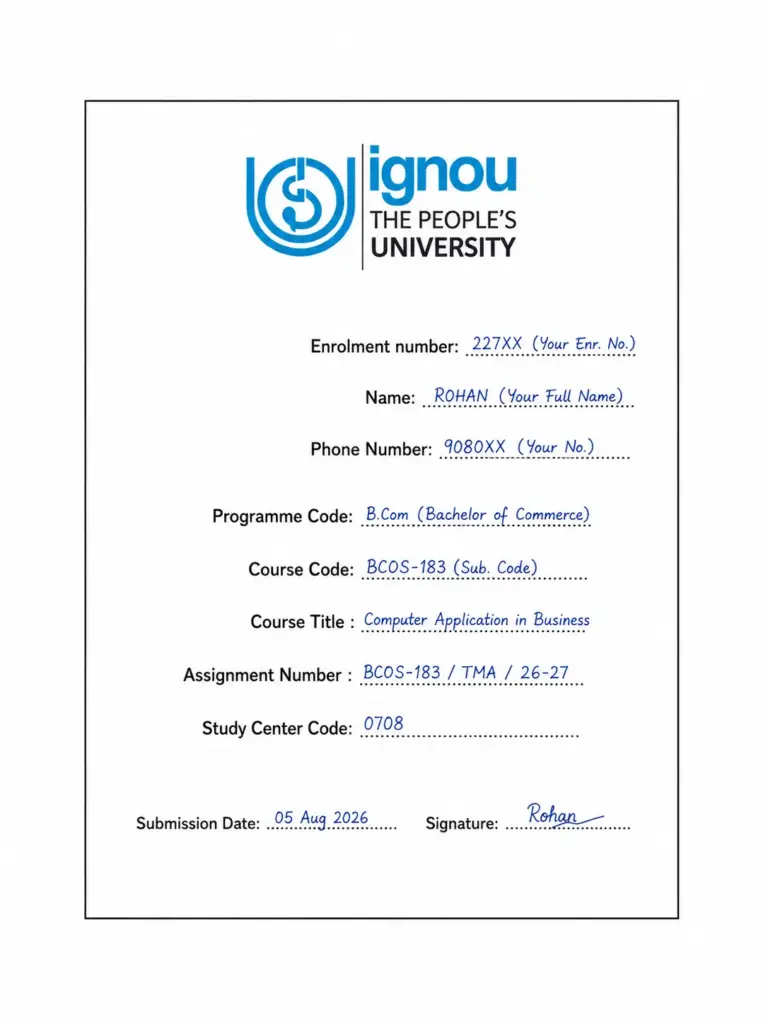
Example of Correct Entries
- Student name: Match the IGNOU record.
- Enrolment number: Enter your own number and check every digit.
- Programme code: Enter your enrolled programme, for example BCOMG.
- Course code: Enter the submitted course, for example BCOS-183.
- Course title: Copy the complete title from the assignment paper.
- Assignment code/session: Copy the applicable information from the current booklet.
- Centre details: Enter your allotted Study Centre and other requested centre information.
- Date and signature: Complete them before final submission.
Printed, Typed or Handwritten Front Page: Which Is Better?
All three methods can work when the information is clear and the selected centre has not issued a different instruction.
- Printed and handwritten: Download the blank IGNOU assignment cover page PDF, print it and fill the fields using a blue or black pen.
- Digitally filled: Type the details into a PDF editor, save the file and check that no text overlaps the labels before printing or uploading.
- Fully handwritten: When a printer is unavailable, reproduce the required fields neatly on a plain white A4 sheet.
Block letters are useful for names, codes and numbers when they improve readability. Avoid colourful designs, decorative fonts, unnecessary borders or a background that makes the details difficult to read.
Is a Separate Front Page Required for Every Course?
Prepare a separately completed IGNOU assignment first page for each course. If you are submitting four course assignments, use four front pages and enter the correct course-specific details on each one.
The same blank template may be printed several times, but one filled page should not be reused for different course codes. Course-wise front pages make physical sorting, scanning, evaluation and marks entry easier.
IGNOU Assignment Front Page for Online Submission
For online assignment submission, place the completed front page at the beginning of the course-wise PDF. Scan the front page and all answer sheets in the correct order and confirm that names, codes and handwriting are readable before uploading.
Upload links, email addresses, file-size limits and filename rules may differ by Regional Centre, Study Centre, programme and submission cycle. Follow the current centre notice rather than an old form or forwarded message. Keep the upload acknowledgement, email proof or submission receipt.
Read the complete guide on how to submit an IGNOU assignment online or offline before sending the final file.
Common Mistakes to Avoid
- Writing an application or registration reference instead of the enrolment number
- Confusing the programme code with the course code
- Using an old or inapplicable assignment booklet
- Guessing the assignment code or session from the examination month
- Leaving the course title, centre code, date or signature blank
- Copying the details shown in the filled sample
- Using one completed cover page for several course assignments
- Attaching the front page after the answer sheets instead of placing it first
- Uploading blurred pages or combining unrelated course codes in one PDF
- Using an assignment front page for a project, dissertation or internship report
Final Checklist Before Submission
- The name matches the IGNOU record.
- Every digit of the enrolment number is correct.
- Programme and course codes are entered in the correct fields.
- The course title matches the course code.
- The assignment number, TMA or session comes from the applicable booklet.
- Study Centre and Regional Centre details are correct where required.
- Contact details are readable.
- The actual submission date and signature are added.
- A separate first page is attached to each course assignment.
- The paper file or scanned PDF is arranged in the correct order.
IGNOU Assignment Front Page FAQs
Where can I download the IGNOU Assignment Front Page PDF?
Download the English IGNOU Assignment Front Page PDF or the Hindi front page PDF. Both are printable A4 formats, and the full-page previews are shown above.
Are the IGNOU assignment front page, first page and cover page the same?
These terms generally refer to the learner-information sheet placed before a course assignment. A project, dissertation or internship may require a different title page.
Is an IGNOU assignment front page compulsory?
The first page should clearly contain the learner, programme, course and centre details required for identification. Follow a specific cover-page format when your Regional Centre or Study Centre issues one.
What details should be written on the IGNOU assignment first page?
Common details include your name, enrolment number, programme code, course code, course title, assignment reference, Study Centre information, contact details, submission date and signature.
Do I need a separate front page for every assignment?
Yes. Use one separately filled front page for each course assignment and change all course-specific details before submission.
Can the IGNOU assignment cover page be handwritten?
Yes. You may fill a printed template by hand or write the same required fields neatly on a blank A4 sheet when a printer is unavailable.
Can I type the front-page details before printing?
Yes, provided the text remains readable and does not cover the labels. Reopen the saved PDF once to confirm that every entry appears correctly.
What should I write in the assignment code or session field?
Copy the exact assignment code, TMA reference, session or validity information from the current assignment question paper. Do not guess it from the exam month.
Should I use the English or Hindi front page?
Choose the language format you find easier. Enrolment numbers, programme codes, course codes and assignment references must still match the official records.
How should I print the IGNOU front page PDF?
Use white A4 paper and select Actual Size or 100% scaling. Check that the complete border and every field are visible before printing multiple copies.
Can I use this front page for online assignment submission?
Yes, place the completed page first in the course-wise scanned PDF unless your centre has provided a different online-submission format or instruction.
65 thoughts on “IGNOU Assignment Front Page 2026 – PDF Download and Filling Guide”
what is the last date of MBA January-2024 assignment submission ?
30th April 2024 For June 2024 TEE (Examination)
Help me for PGDRD project
Thankss Dude
what is the last date of assignment submission for semester based programmes??
31st October 2023
What should be the word limit of each answer, if the marks for each question are not given?
Can I send my assignment though post? Or I have to physically submit.
I ALSO THOUGHT OF SENDING THROUGH POST BUT THERE IS A RISK IN SENDING THROUGH IT BECAUSE ACKNOWNLEDGEMENT IS MISSING IN THIS CASE , ON THE OTHER HAND IF YOU PHYSICALLY SUBMIT IT THEY WRITE THE SUBJECT CODE WITH YOUR ENROLLMENT NUMBER
AND WITH THEIR SIGNATURE AND GIVE YOU A SLIP
On which sheet do we have to make an assignment ? On both side ruled paper OR on Blank sheet A4 ?
Excellent post. I was checking continuously this blog and I am impressed! Extremely useful information specially the last part. I searched for such info for ages. Thank you and good luck.
What is the last date of assignment submission?
Last date assignment submission
For Now Its 30 March 2023 But it Will extend upto 30th April 2023
31st of March 2023